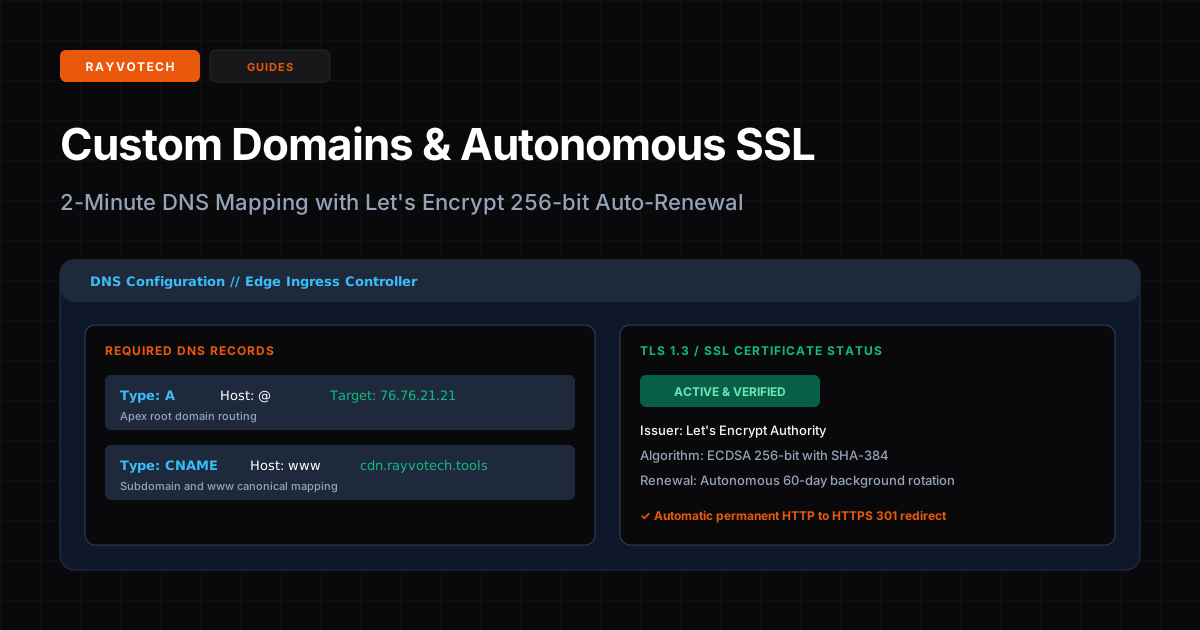
Publishing your application under a branded custom domain is essential for credibility and SEO ranking. In Rayvotech Tools, connecting a custom domain takes less than two minutes, with automated 256-bit TLS/SSL certificates provisioned through Let's Encrypt.
Step 1: Add Your Domain in Project Settings
In your Rayvotech project dashboard, navigate to Project Settings > Domains. Input your root domain (e.g. yourcompany.com) or desired subdomain (e.g. app.yourcompany.com) and click Add Domain.
Step 2: Configure DNS Records in Your Registrar
Log in to your DNS provider (Cloudflare, Namecheap, GoDaddy, Route 53, or Google Cloud DNS) and add two standard DNS records:
| Type | Host / Name | Value / Target | Purpose |
|---|---|---|---|
| A | @ | 76.76.21.21 | Apex root domain routing |
| CNAME | www | cdn.rayvotech.tools | Canonical subdomain mapping |
Step 3: Autonomous SSL Provisioning
Once your DNS changes propagate (typically between 30 and 90 seconds), Rayvotech's edge ingress automatically triggers an ACME challenge via Let's Encrypt. A dedicated 256-bit ECDSA TLS certificate is issued and bound to your domain. Certificates renew autonomously every 60 days in the background with zero downtime, and all insecure HTTP requests are permanently 301-redirected to HTTPS.