

Building a Web Application
Step-by-step guide to architecting, generating, and deploying full-stack web applications with Rayvotech Tools.
Application Architecture
Unlike simple static site generators, Rayvotech Tools web applications feature an autonomous database layer, role-based access control, serverless edge functions, and an interactive frontend. You do not need to configure separate backend servers or write manual SQL migration files.
Reactive UI Components
State-driven components built with standard Tailwind CSS and reactive JavaScript. Supports zero-latency client state transitions.
Serverless Isolate Runtime
Secure, sandboxed V8 isolates running directly at edge locations with under 10ms execution latency worldwide.
Relational Database Engine
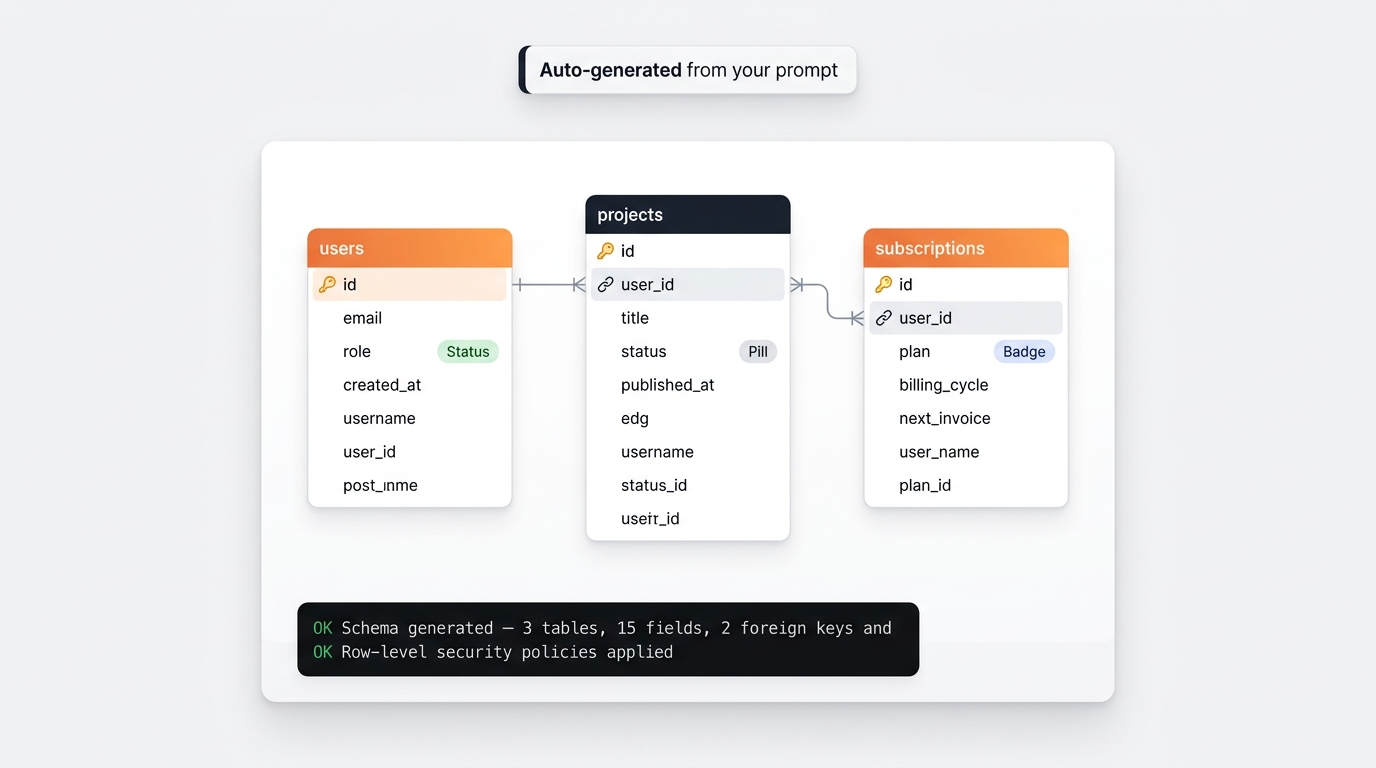
Autonomous schema migration, foreign key referential integrity, automated indexing, and row-level security policies.
Step-by-Step Workflow
Define the App Specification
Enter a clear description of the application into the Prompt Studio. Specify the target audience, primary user workflows, data entities, and authentication needs.
Autonomous Data & Schema Generation
Rayvotech Tools automatically derives relational data models, table fields, and security policies. You can view and edit these in the Data tab.
Refining UI and Business Logic
Use the chat interface to tweak views, add charts, configure validation rules, or embed Stripe payments.
Publish to Production
Click Deploy to publish your application to your custom domain or export the source code for self-hosting.
Studio Interface Overview
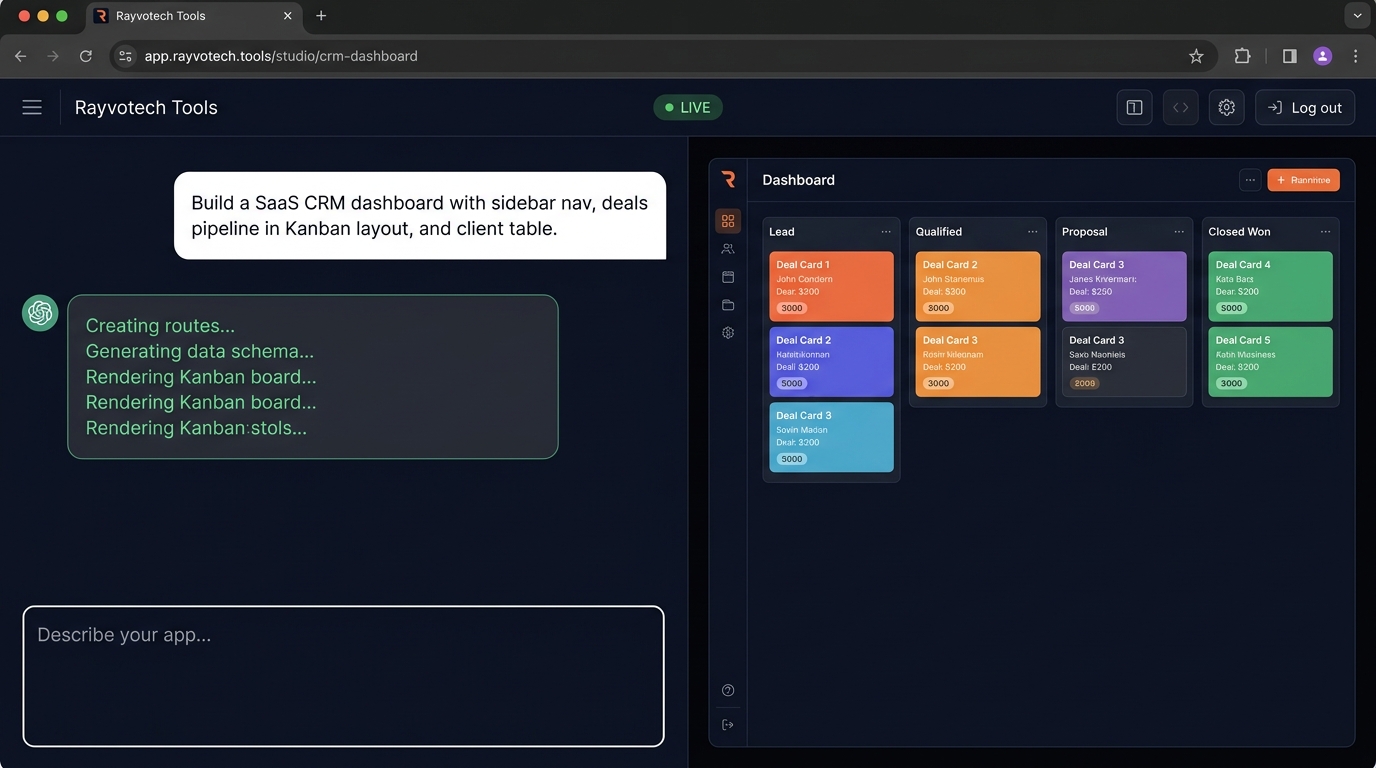
The Rayvotech Tools Studio interface is split into three unified panes for rapid iteration:
"Adding Stripe subscription billing and a usage analytics chart..."
✓ Route created: /dashboard/billing
Database & Authentication Setup
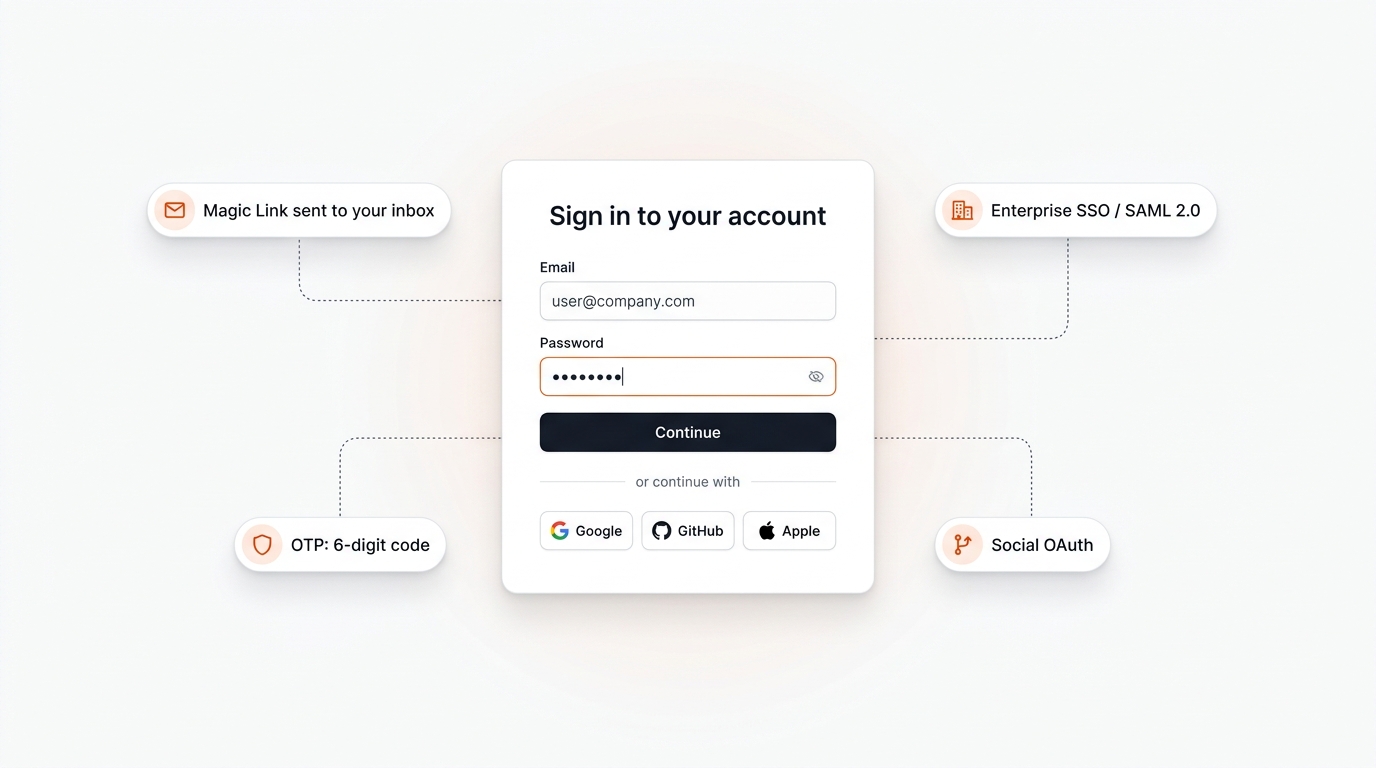
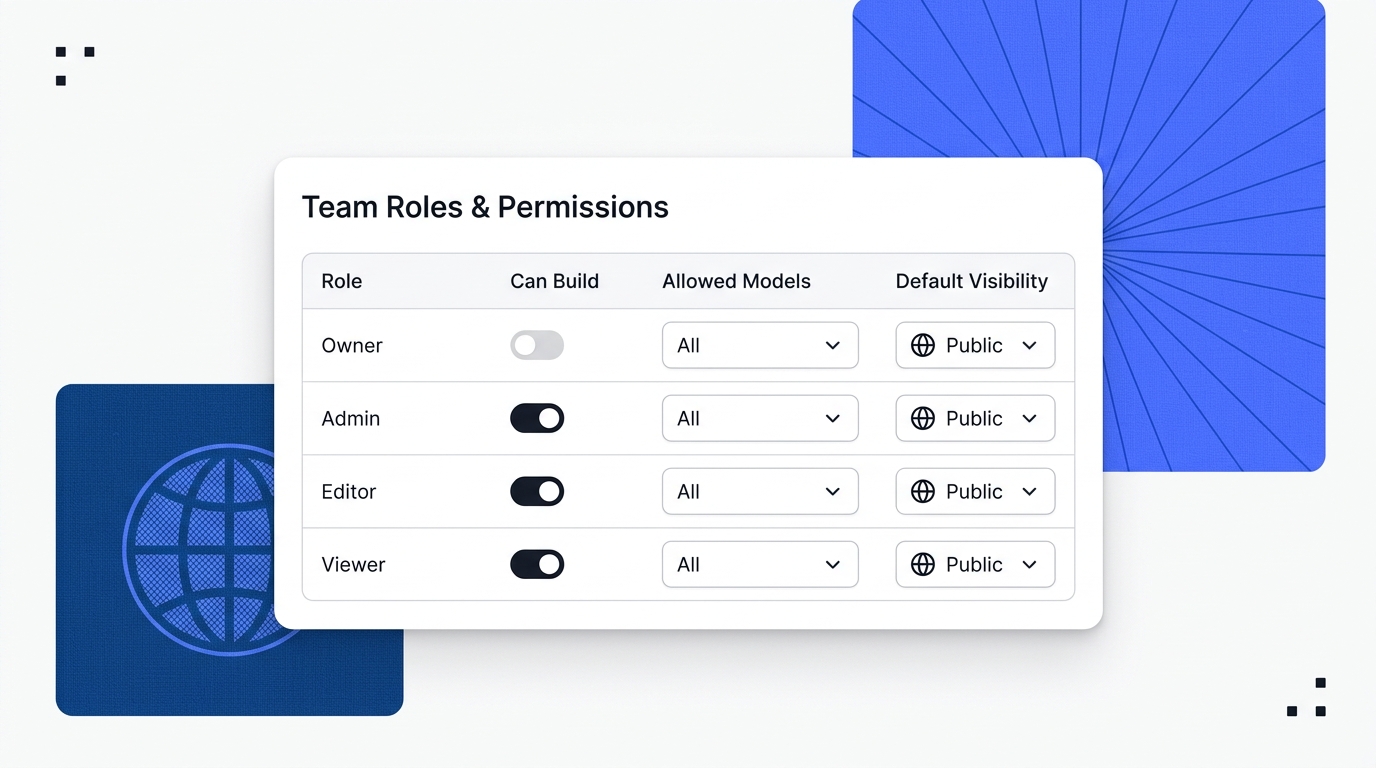
Every web application comes pre-equipped with an enterprise-ready user authentication and authorization layer. Authentication state is synchronized across edge sessions using secure, HTTP-only JWT cookies with automatic token rotation.
| Auth Mechanism | Security Level | Use Case | Setup Method |
|---|---|---|---|
| Email & Password | Argon2id hashing | Standard consumer apps & customer portals | Built-in by default |
| Magic Links & OTP | Time-limited cryptographic tokens | High-converting onboarding, passwordless login | Enable in Auth Settings |
| Social OAuth | OAuth 2.0 / OpenID Connect | Google, GitHub, and Apple 1-click sign in | Add Client ID & Secret |
| Enterprise SSO | SAML 2.0 / SCIM | Okta, Microsoft Entra ID, Google Workspace | Enterprise Workspace Tier |